
Copier Security: Protecting Your Data in the Digital Age
How to Protect Your Sensitive Data on Copiers
Most offices in Palm Coast, FL, don’t think twice about copier data protection, but they should. Geoda Systems works with local businesses every day to keep sensitive documents out of the wrong hands. Modern laser printers store data, and that creates real risk.
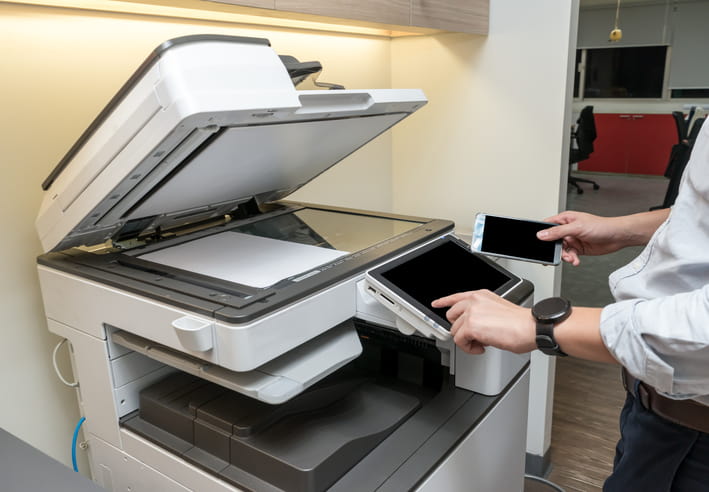
Why Is Copier Security Important?
Every time someone prints, scans, or copies a document, that data can be stored on the machine’s hard drive. Without proper copier security measures for data protection, that information stays vulnerable, even after the job is done.
Common Copier Security Risks Businesses Face
Laser printers and multifunction copiers hold more data than most people realize. Some of the most common security risks businesses encounter include:
- Hard Drive Retention – Copiers store digital copies of every scanned or printed document, and those files remain on the device until actively removed.
- Unauthorized Access – Without user authentication, anyone who walks up to the machine can print, copy, or scan sensitive files.
- Network Vulnerabilities – Copiers connected to office networks can serve as entry points for outside threats if the firmware is outdated or misconfigured.
- Improper Disposal – When a copier is returned, sold, or retired, residual data on the hard drive can expose confidential records.
- Intercepted Print Jobs – Documents sent wirelessly to a printer can be intercepted if the connection is not encrypted.
Key Copier Security Features Businesses Should Use
Knowing the risks is step one. Protecting against them is step two. The following features are worth enabling on your office’s copier:
- User Authentication – Requires staff to enter a PIN or swipe a card before accessing the machine, limiting use to authorized personnel only.
- Data Encryption – Encrypts files stored on the hard drive and data sent to the printer, keeping documents protected in transit and at rest.
- Secure Print Release – Holds print jobs in a queue until the user is physically at the machine to release them, preventing unclaimed documents from sitting in the tray.
- Automatic Hard Drive Wiping – Clears stored data from the copier’s memory after each job or on a set schedule.
- Audit Logs – Tracks who used the machine, when, and what they printed or scanned, creating accountability across the office.
Copier Security and Compliance Requirements
Businesses in Palm Coast, Ormond Beach, and DeLand operate under a range of federal and state compliance standards. Copier security is directly tied to meeting those requirements. Failing to secure your laser printer or multifunction device can result in penalties, data breaches, and lost client trust:
- HIPAA – Healthcare providers and their vendors must protect patient data at every point, including copiers that scan or print medical records.
- FERPA – Schools and educational institutions are required to safeguard student records, which includes limiting access to copiers that handle those documents.
- Florida Information Protection Act (FIPA) – Florida law requires businesses to protect personal information and to notify individuals promptly if a breach occurs.
- PCI DSS – Businesses that process credit card payments must secure all devices, including printers and copiers, that handle payment-related data.
- SOC 2 Compliance – Service organizations are expected to demonstrate strong data protection practices across all office technology, including multifunction copiers.
- General Best Practices – Regardless of industry, businesses should apply role-based access controls, encrypt stored data, and audit copier activity on a regular basis.
Copier Security Checklist for Businesses
A consistent routine keeps your office protected. Whether you manage a school, a church office, or a small business, these steps help you stay ahead of copier security risks:
- Before Acquiring or Leasing – Confirm the copier includes built-in encryption, secure print release, and hard drive wiping capabilities before signing any agreement.
- Network Configuration – Place the copier on a segmented network and disable any unused ports or services immediately after setup.
- User Access Controls – Assign unique credentials to each user and restrict access based on role, so staff can only use the functions they need.
- Firmware Updates – Check for and apply manufacturer firmware updates regularly to patch known security vulnerabilities in your laser printer or copier.
- Toner and Supply Chain Security – Use only OEM-approved toner and parts to prevent counterfeit components that may carry hidden risks.
- Data Disposal and Hard Drive Wipes – Before returning a leased machine or disposing of an old one, confirm the hard drive has been fully wiped or physically destroyed.
- Audit Log Reviews – Schedule quarterly reviews of copier activity logs to catch unusual usage patterns early.
Protect Your Office With Geoda Systems
Copier data protection is too important to set and forget. Geoda Systems serves businesses across Palm Coast, Ormond Beach, and DeLand with reliable, OEM-certified copiers, flexible leasing, and responsive service. We keep it simple, and we stand behind every machine we place. Contact Geoda Systems today to find the right secure copier solution for your office.
Frequently Asked Questions
Do Small Businesses Need Copier Security?
Yes. Small businesses and non-profits handle sensitive data too, so the same protections that guard larger offices apply to your machine. Client records, financial documents, and staff information all carry risk. Furthermore, compliance laws like FIPA apply regardless of business size.
How Often Should You Review Copier Security?
Review your copier security settings at least twice a year, or whenever you add users, update firmware, or change your network. In addition, any change in staff with access to devices warrants a prompt review.
Can Copier Security Settings Be Customized?
Most modern copiers let administrators tailor access controls, authentication methods, and encryption settings to match your office’s specific security needs. Geoda Systems can walk you through those configurations at setup when you lease a copier with us.